// the shift The brochure website had a good run
For a long time, a small business website had one main job: prove the business was real. Homepage. About page. Services. Contact. Maybe a handshake photo, a laptop, or a suspiciously happy team pointing at a whiteboard. Very 2008. Very “we have an online presence.” Very much not enough anymore.
Today, your website is often part of the sales process before anyone on your team knows a buyer exists. People compare options, skim service pages, check reviews, look for pricing clues, bounce to Google, come back from a directory, read a case study, and then maybe contact you.
That does not mean every small business needs an enterprise funnel with 47 automations and a dashboard that needs its own emotional support dashboard. It means the website has to do more practical work.
A modern SMB website should help the right visitor answer four questions:
That is the shift. The website is not just a brochure. It is a sales system.
brochure to sales system – 2026
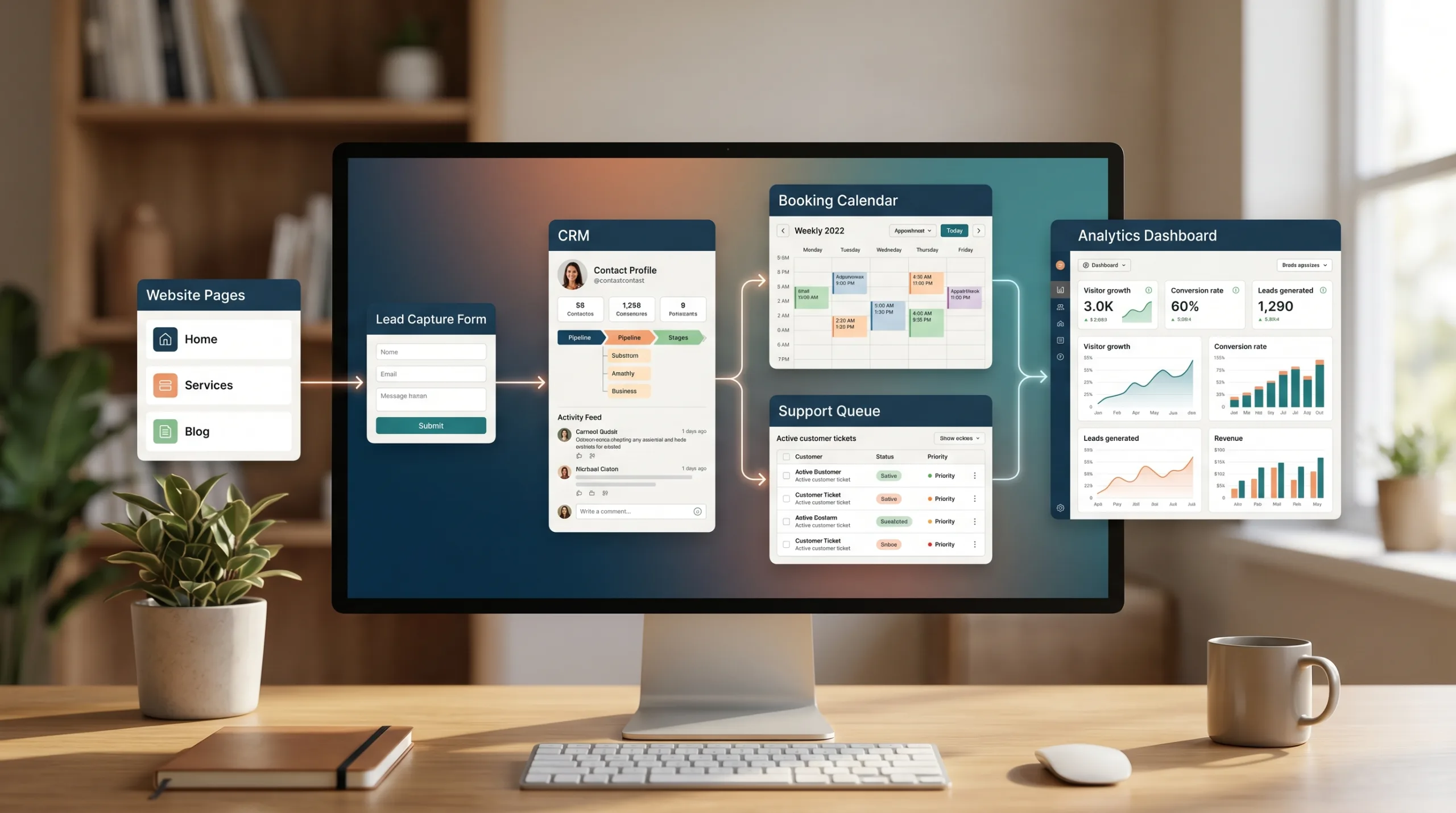
visit to handled lead- Visitor research. Someone compares options, skims service pages, checks reviews, and forms an opinion before anyone on your team knows they exist.
- Service page. The page explains who the service is for, what it solves, and what makes a lead a good fit – in buyer language, not internal jargon.
- Proof. Case studies, named results, and review-platform signals support the offer at the moment the visitor is deciding.
- CTA. The next step is sized to intent – book a call, request a quote, send a brief, start a diagnostic, or open a support request.
- Intake form. Captures honest context: service, project type, location, timeline, scope, existing system, urgency, and whether it is sales or support.
- CRM, booking, or support routing. The form does not just email an inbox. It opens a record, books a slot, or creates a ticket with context attached.
- Follow-up. A named owner responds within a known window. The lead does not depend on someone’s memory.
- Reporting. The team sees which pages, sources, and forms produce qualified inquiries – not just sessions and pageviews.
//behavior
Buyers are doing more before they talk to you
This is not only a big-company B2B trend, but B2B research makes the pattern easy to see. Gartner reported in 2025 that 61% of B2B buyers prefer an overall buying experience without a sales rep when they are gathering information (source: Gartner). Buyers do not necessarily want zero humans. They want fewer unnecessary humans before the useful conversation.
McKinsey also found that B2B decision makers use an average of ten sales channels during the buying journey (source: McKinsey). Translation: the website is not acting alone. It is one touchpoint in a messy decision path, and it needs to make the next step easier, not murkier.
Local businesses see the same behavior with different labels. BrightLocal found that 74% of U.S. consumers use two or more websites for reviews before deciding to use a local business (source: BrightLocal). Customers are checking your website, Google, review platforms, social media, maps, and sometimes local media. Your website is one piece of that trust system – but it is the piece you control.
// outcome What a sales-system website actually does
A brochure website says, “Here is who we are. Please contact us.”
A sales-system website says, “Here is the problem we solve, who we solve it for, what the process looks like, what proof you can inspect, and which next step makes sense for your situation.”
That sounds simple. It is not always simple to build, because it forces the business to make decisions. A vague website is often a symptom of vague positioning, vague services, vague pricing logic, or a sales process that lives in one person’s head.
A useful website handles the first layer of the sales conversation. It explains who the service is for, what problems it solves, what makes a lead a good fit, what affects cost or timeline, what proof supports the offer, and what happens after the visitor takes action.
This is where web development becomes more than page design. The real work is content structure, conversion paths, intake logic, integrations, analytics, and follow-up. The button is rarely the expensive part. The messy process behind the button usually is.
| AREA | BROCHURE WEBSITE | Sales-system website |
|---|---|---|
| Content | Describes the company in general terms. | Explains problem, fit, process, proof, and next step in buyer language. |
| Conversion paths | One generic “Contact Us” for every visitor. | Booking, quoting, briefs, support, diagnostics – sized to intent. |
| Intake | Name, email, “message.” Nothing else. | Service, project type, timeline, scope, urgency, source, sales vs. support. |
| Integrations | CRM, booking, quoting and the website do not talk to each other. | Context is sent to CRM, booking, quote workflow, or support queue. |
| Routing | Sales, support, careers, and vendor pitches share one inbox. | Different intents reach different owners with the right context. |
| Analytics | Traffic and pageviews. | Qualified inquiries, booked calls, abandoned forms, good-fit sources. |
| Existing customers | Have to pretend to be new leads to get help. | Front door for operations: support, scheduling, accounts, warranty. |
The five systems behind a revenue-focused website
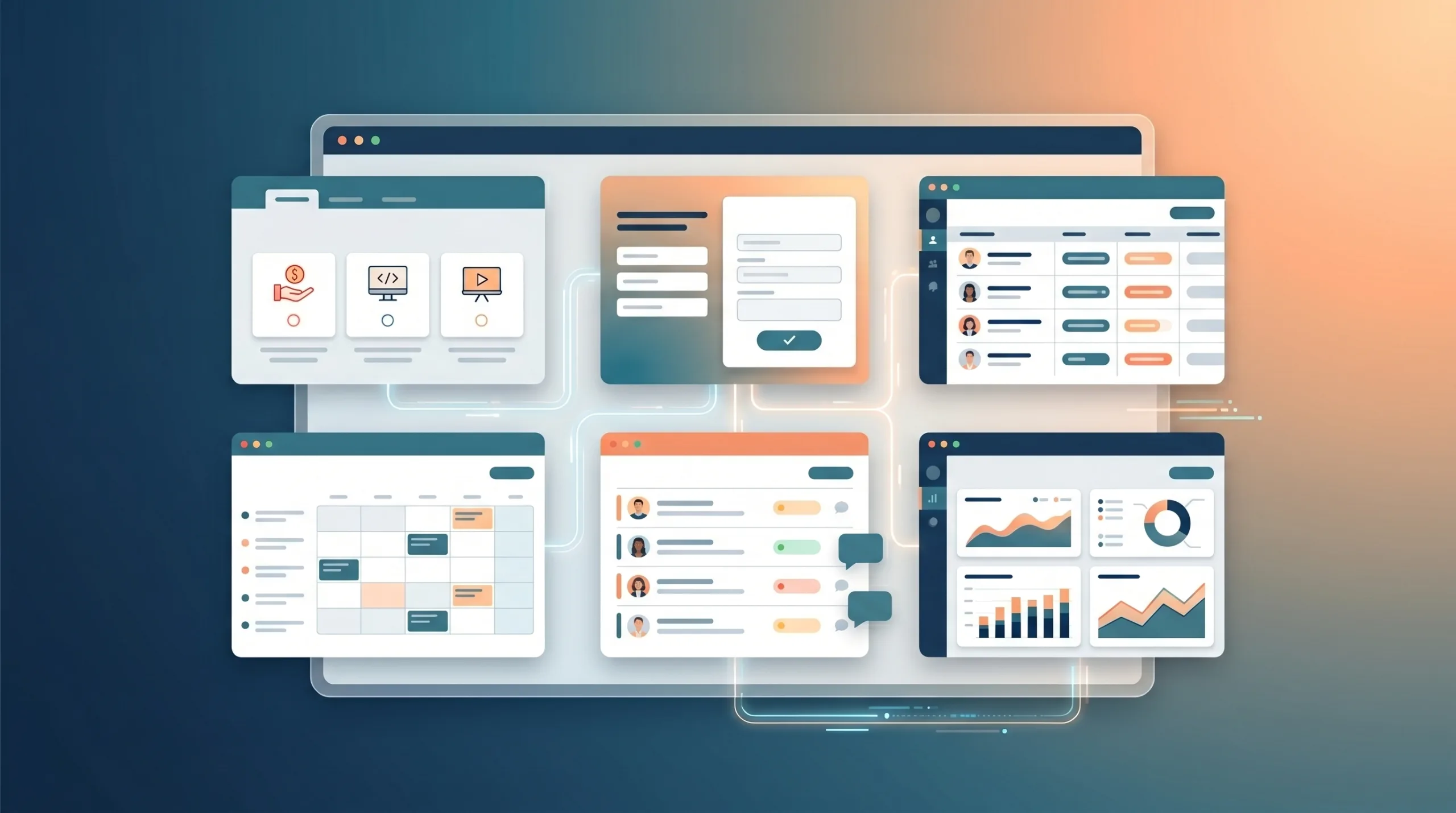
1. The content system
Service pages should not read like a list of internal capabilities. Buyers do not wake up thinking, “I would love to procure a responsive CMS implementation today.” They think, “Our website is slow, leads are bad, nobody can update service pages, and our competitors look more credible.”
Good content translates the offer into buyer language. It explains the problem, fit, process, proof, and next step. For a web development company, that might mean separating a new WordPress build, a rebuild, support and maintenance, and custom integration instead of forcing every visitor through one generic web services page.
2. The conversion system
A sales-system website does not dump every visitor into one lonely “Contact Us” form and hope for the best. Different visitors have different intent levels. One person wants to compare options. Another wants pricing drivers. Another needs support. Another is ready to book. Another is not a lead at all and should not be routed to sales.
Better paths might include booking a consultation, requesting a quote, sending a project brief, viewing case studies by use case, submitting a support request, starting a diagnostic, or uploading files for an estimate. The goal is not to add friction. The goal is to reduce confusion. A good path makes the next step feel obvious.
3. The lead and CRM system
If your form creates an email and nothing else, you may technically have a lead. You may also have a tiny data leak wearing a nice blazer.
A better intake flow captures context: service needed, project type, location, timeline, budget or scope range when appropriate, existing system, urgency, source page, and whether the request is sales or support. Then it sends that context somewhere useful: a CRM, booking system, quote workflow, support queue, spreadsheet, or shared inbox with clear ownership.
This does not mean every small business needs a heavyweight CRM. It means no serious inquiry should disappear into an inbox archaeology project.
Inquiry captured
Context tagged
Owner assigned
Next action triggered
Outcome measured
The handled lead
4. The booking, quoting, and support system
For many service businesses, the website is not just marketing. It is the front door for operations. A customer may need to schedule an appointment, request an estimate, submit a maintenance issue, upload photos, ask for warranty help, find account access, or reach the right location.
Customers do not follow your org chart. They follow the fastest path to the outcome they need. Existing customers should not have to pretend to be new leads. Sales inquiries should not land in support. Urgent issues should not sit behind a form that quietly promises a reply in three to five business days.
5. The analytics system.
A brochure site asks, “How many visitors did we get?” A sales-system site asks better questions: Which pages produce qualified inquiries? Which service pages lead to booked calls? Which forms are abandoned? Which traffic sources produce good-fit leads? Which support pages reduce calls? Which case studies influence better conversations?
A dashboard is not finished because it has charts. It is finished when someone knows what to do next .
editorial thesis – rtw 2026
// baseline
Digital clarity is now the baseline
Online buying is no longer a novelty behavior. The U.S. Census Bureau estimated 2025 U.S. retail e-commerce sales at $1.2337 trillion, or 16.4% of total retail sales (source: U.S. Census Bureau). Eurostat reported that 78% of EU internet users bought or ordered goods or services online in 2025 (source: Eurostat).
That does not mean every SMB should become an e-commerce business. A dentist, HVAC company, consulting firm, contractor, or boutique B2B service provider may not be selling a cart-and-checkout product. But customers are trained to expect digital clarity. They expect to compare. They expect to understand options. They expect the website not to make them work like it is a scavenger hunt with branding.
// diagnostic
Signs your website is still a brochure
Your website may still be stuck in brochure mode if:
None of these are moral failures. They are normal signs that the website grew in pieces while the business got busy. The fix is to stop asking, “What pages do we need?” and start asking, “What decisions does the visitor need to make, and what does the business need to do with that information?”
how to start
How to start without overbuilding
Start with the money pages: your highest-value services, most common inquiries, or most confusing offers. For each one, answer the practical questions: Who is this for? What problem does it solve? What makes someone a good or bad fit? What does the process look like? What affects cost or timeline? What proof can we show? What should the visitor do next? What information does the team need before replying?
Then improve the handoff. Add better form fields. Route different inquiry types. Connect booking if scheduling is the real next step. Tag leads by service, source, and urgency. Make sure someone owns follow-up. Measure qualified leads, not just raw submissions.
For teams already using WordPress, this may mean a cleaner content model, better forms, and tighter CRM or booking integration rather than a full rebuild. For teams with more complex workflows, it may mean custom intake, dashboards, or internal tools. In our world at Reston Tech Wiz, this is where web development, UI/UX, CRM thinking, dashboards, and support operations start to overlap. Not glamorous. Very useful.
| Problem | First Fix | Why it matters |
|---|---|---|
| Generic services page | Split into money pages with problem, fit, process, and proof. | Specific pages help visitors decide. Generic ones make them leave. |
| Only “Contact Us” as CTA | Add intent-shaped paths: book, quote, brief, diagnostic, support. | Different visitors have different intent levels – one form does not fit all. |
| Form asks only name, email, message | Capture service, project type, timeline, scope, urgency, source. | Context lets the team route, prioritize, and reply well. |
| Everything lands in one inbox | Route sales, support, and vendor pitches to different owners. | Inbox archaeology is not a sales process. |
| No CRM or booking integration | Connect the form to CRM, booking, or a shared pipeline with owners. | No serious inquiry should disappear into an inbox archaeology project. |
| Proof missing on decision pages | Add case studies, testimonials, and review signals where they decide. | Buyers check multiple sources – your page is one of them. |
| Analytics stop at pageviews | Track qualified inquiries, booked calls, abandoned forms, source quality. | Outcomes drive decisions. Traffic alone does not. |
// ai
A note on AI before everyone adds a chatbot
AI can help, but it will not magically fix a website that does not explain the business clearly. If the service pages are vague, the knowledge base is stale, and leads are not tagged properly, an AI chatbot may simply automate confusion at a higher speed.
Before adding AI, fix the basics: clear service content, structured FAQs, accurate process information, CRM fields that reflect real sales decisions, routing rules, permissions, review paths, and fallback behavior when automation is wrong. AI-readiness is not a sparkle layer. It is mostly information architecture, data hygiene, and workflow discipline. I know. Less shiny. Also less likely to embarrass you in front of a prospect.
// the real conversion
The real conversion is the handled lead
A form submission is not the finish line. A booked call is not always the finish line either.
The real conversion is a handled lead: a qualified inquiry that reaches the right workflow, with the right context, fast enough for the business to respond well.
That is what a sales-system website is built to support. It does not replace your sales team, your service team, or your human judgment. It makes the first human conversation shorter, clearer, and more useful.
A brochure site ends at “Contact us.” A sales system starts there.
editorial thesis – rtw 2026
| Source | Used for |
|---|---|
| Gartner | 61% of B2B buyers prefer a rep-free buying experience (2025). |
| McKinsey | B2B decision makers use ~10 sales channels during the buying journey. |
| BrightLocal | 74% of U.S. consumers use two or more review sites for local businesses. |
| U.S. Census Bureau | 2025 U.S. retail e-commerce sales: $1.2337T, 16.4% of total retail. |
| Eurostat | 78% of EU internet users bought or ordered online in 2025. |
