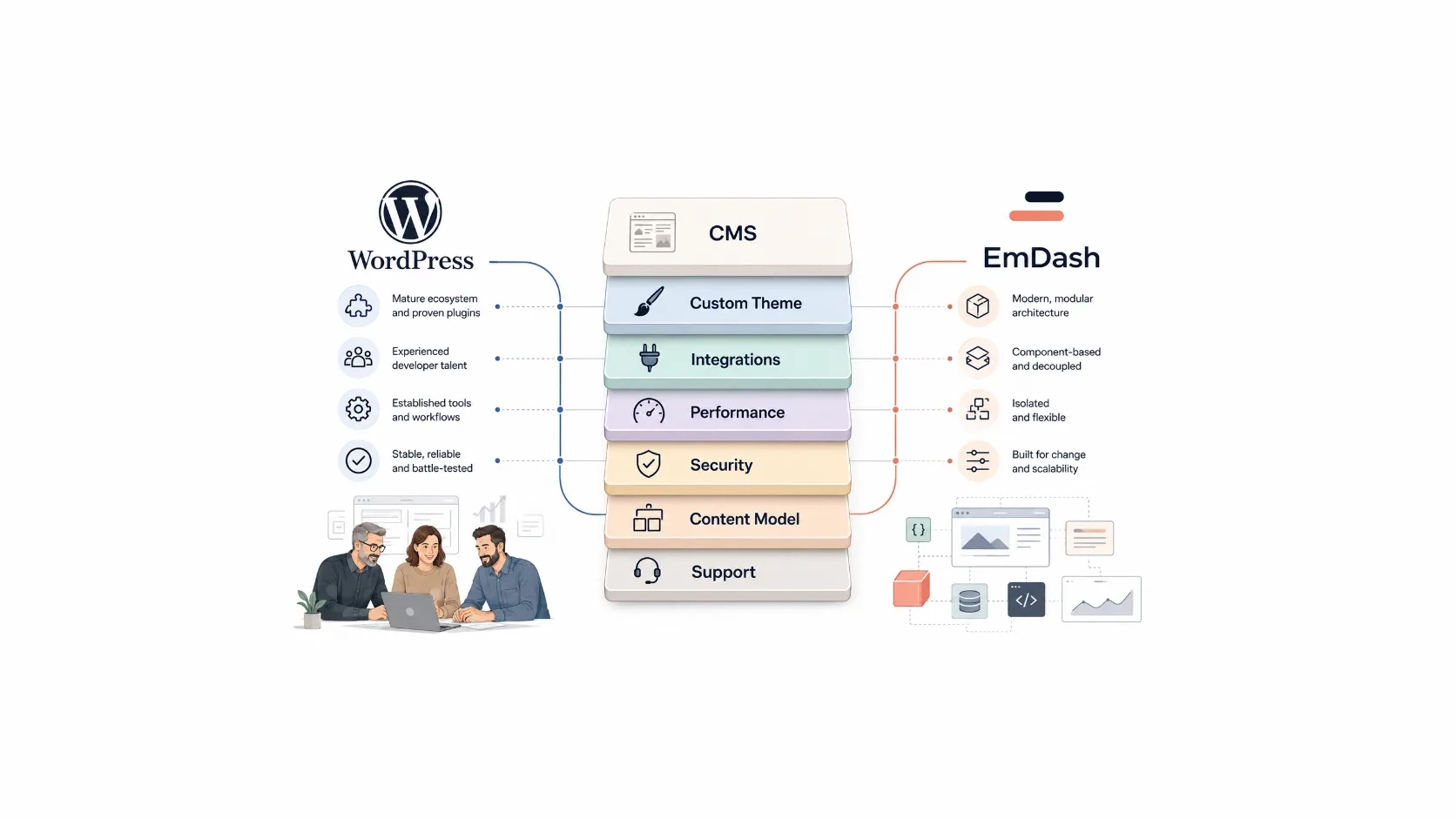
Cloudflare’s EmDash is one of the more interesting CMS announcements in recent memory. It is modern, developer-friendly, and built around ideas that make sense for where the web is going.
But if you run a business, the real question is not whether EmDash is cooler than WordPress.
The real question is simpler:
What kind of website are you actually buying?
the practical question – 2026
Because a business website is not just a CMS. It is a sales tool, credibility layer, lead capture system, content hub, recruiting surface, support filter, and often the first serious impression a customer gets.
The platform matters.
But the build matters more.
// the context First, what is EmDash?
Cloudflare introduced EmDash in April 2026 as an open-source, Astro-native CMS. In plain English, it is a content management system built for modern web development: Astro, TypeScript, Cloudflare infrastructure, structured content, serverless deployment, and a more controlled extension model.
Cloudflare positioned it boldly as a “spiritual successor” to WordPress.
That phrase got attention. It was meant to.
Developers noticed. WordPress people reacted. Business owners started wondering whether this was another major shift in how websites should be built.
And maybe, for some projects, it will be.
But not every new platform is automatically the better business decision.
| Question | Better starting point |
|---|---|
| Need a mature editing workflow and broad support? | WordPress |
| Need a clean content-first modern architecture? | EmDash deserves a look |
| Need custom CRM or business integrations? | Depends on team and budget |
| Need ecommerce with proven tooling? | Usually WordPress / WooCommerce |
| Need maximum control over performance? | Either, if built properly |
| Need long-term handoff flexibility? | WordPress currently has the larger support market |
| Not sure what is broken? | Audit first |
// the outcome You are not buying a CMS. You are buying an outcome.
Most business owners do not wake up thinking:
“We need a more elegant content architecture.”
They think:
That is the real conversation.
A business does not need WordPress because it is famous. It does not need EmDash because it is new. It needs the right technical approach for its goals, budget, internal team, risk tolerance, and future plans.
This is where the CMS debate often gets too shallow.
A weak WordPress build can be slow, messy, fragile, and expensive to maintain.
A strong WordPress build can be fast, clean, secure, custom, and easy to extend.
A modern EmDash build can be lean and elegant.
A poorly planned EmDash build can still become hard to support if the business needs outgrow the available team or ecosystem.
The tool does not save the project.
The architecture, implementation, and maintenance plan do.
// wordpress WordPress is not just themes and plugins
This is an important point.
WordPress is often described as if every WordPress site is just a commercial theme plus a pile of third-party plugins. And yes, many websites are built that way.
But that is not the only way to build on WordPress.
A serious WordPress project can use a custom theme, a clean content model, custom post types, direct API integrations, custom business logic, performance-focused templates, minimal third-party dependencies, and carefully selected tools only where they make sense.
At Reston Tech Wiz, that distinction matters.
Sometimes a ready-made solution is the right choice. Sometimes a custom plugin is the right choice. Sometimes the best answer is no plugin at all, just a direct integration written properly into the codebase.
It depends on the project.
Budget matters. Timeline matters. The importance of the feature matters. The expected lifetime of the website matters. The cost of future maintenance matters.
There is nothing wrong with using a trusted plugin when it solves a standard problem well. A mature form tool with strong CRM integrations, for example, can be a smarter business decision than rebuilding the same functionality from scratch.
But there is also nothing magical about installing another tool for every request.
Good development is knowing the difference.

Same CMS. Very different website.
Off-the-shelf build
Selective WordPress build
Custom-first build
// support market Where WordPress still has a major advantage
One of WordPress’s biggest strengths is not the software itself.
It is the people around it.
There are many experienced WordPress developers, agencies, technical SEO specialists, hosting teams, content managers, and support providers who understand the platform deeply. More importantly, many of them know how to build beyond the default setup.
That matters for a business.
If your company needs a custom integration, a specialized content workflow, a private client portal, a CRM connection, a performance rebuild, or a custom admin experience, it is usually not hard to find experienced WordPress professionals who can work on it.
With EmDash, the situation is different.
The technology is newer. The ecosystem is younger. The pool of people with real production experience is naturally smaller.
That does not make EmDash bad. Every platform starts somewhere.
But it changes the risk profile.
When you choose a CMS, you are not only choosing what works on launch day. You are choosing what happens six months later, when you need a new feature. Or two years later, when another team has to maintain it. Or when your marketing team wants to move faster without waiting for a full development cycle.
That is why support availability is not a small detail.
It is part of the platform decision.
// speed check Performance: WordPress can be very fast when it is built properly
EmDash has a strong performance story because it is built around Astro, and Astro is excellent for many content-driven websites. It can deliver very lean pages and avoid shipping unnecessary JavaScript by default.
That is a real advantage.
But it does not mean every EmDash site will automatically be fast, or that every WordPress site is slow.
Performance is not only about the platform.
It is about image handling, front-end architecture, caching, hosting, database queries, JavaScript discipline, third-party scripts, analytics setup, fonts, forms, tracking tools, and how much unnecessary weight the site carries.
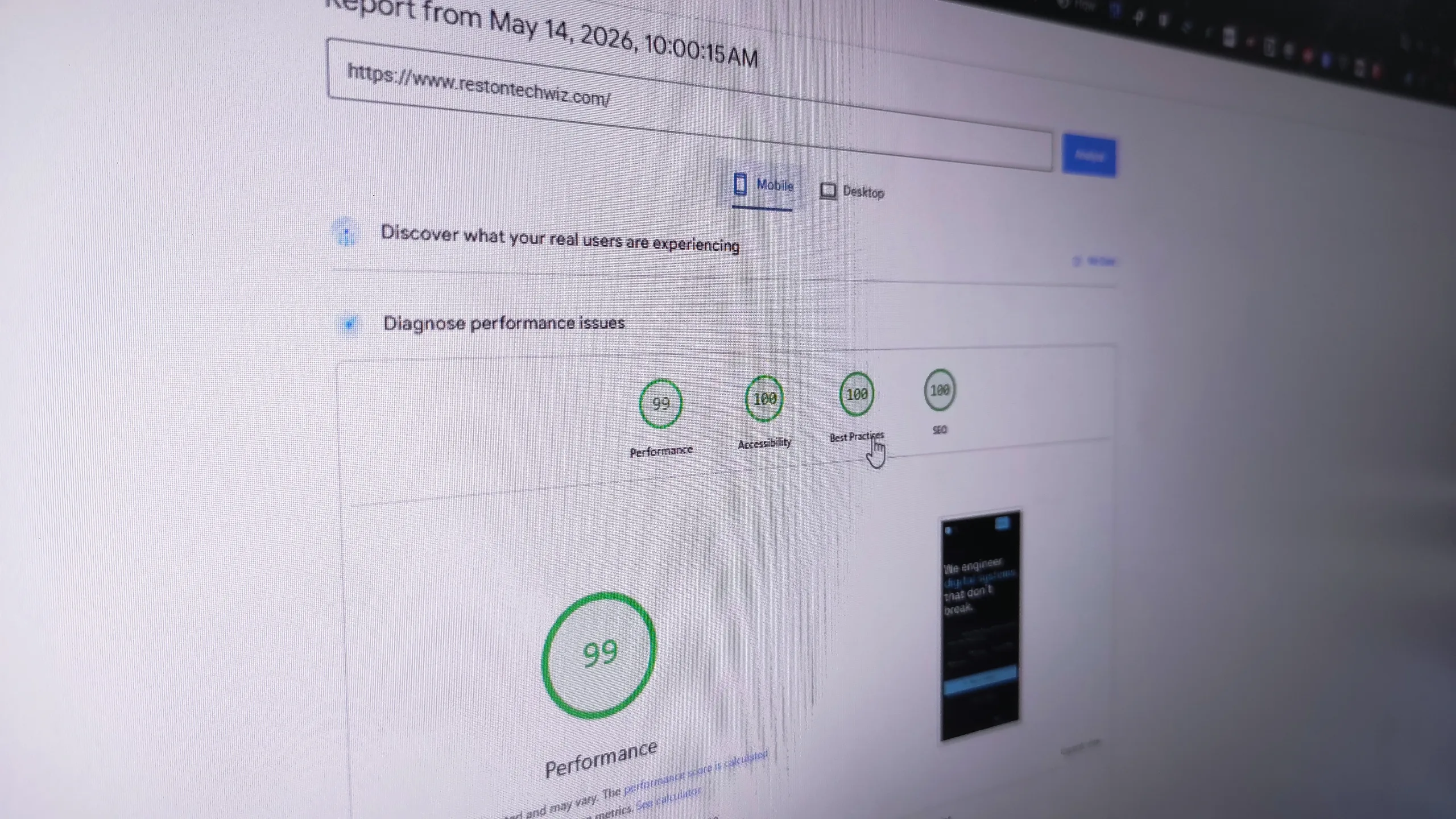
Speed is usually a build problem.
WordPress can be extremely fast with the right build: a custom lightweight theme, clean templates, minimal dependencies, optimized images, smart caching, proper hosting, careful database usage, and integrations built directly where that makes more sense.
On the other side, a WordPress site can become slow when every feature is solved by adding another heavy tool, especially when those tools load scripts across the entire site whether they are needed or not.
So yes, plugins can create performance issues.
But the real issue is not “plugins exist.”
The real issue is poor technical decision-making.
performance note – rtw 2026
// security Security is not only a platform feature
Cloudflare’s security argument around EmDash is worth taking seriously. WordPress has had a long-running problem with vulnerable third-party extensions, abandoned code, delayed updates, and site owners who do not know what is installed or why.
That risk is real.
But security is never just one feature in a product announcement.
A clean architecture helps. Sandboxing helps. Fewer dependencies help. But somebody still has to maintain the system.
WordPress can be hardened significantly when it is handled by a responsible team: fewer dependencies, maintained code, limited admin access, reliable hosting, backups, monitoring, update workflows, tested recovery, and custom work that does not rely on random unmaintained packages.
Custom code is not automatically safe either.
Bad custom development can be worse than a well-maintained third-party tool.
The right question is not:
“Does this site use plugins?”
The better question is:
Do we understand every important piece of this website, who maintains it, and what happens if it fails?
ownership question
That is the level of ownership a business should expect.
// platform fit When EmDash deserves attention
EmDash is worth considering when you are planning a new website and want a modern, content-first architecture.
It may be a good fit for marketing websites, blogs, documentation, resource libraries, landing page systems, thought leadership hubs, or websites where structured content matters more than a large admin ecosystem.
It becomes more interesting if your development team already understands Astro, TypeScript, Cloudflare Workers, and modern deployment workflows.
In that case, EmDash is not just “new CMS hype.” It can be a serious architecture conversation.
But the team matters.
A modern stack is only an advantage if the people building and maintaining it know how to use it well.
platform fit
// wordpress fit When WordPress is still the better choice
WordPress remains a very strong option when the business needs a mature editing experience, broad support availability, custom development flexibility, and a large ecosystem around common business needs.
It is also a strong option when you already have a WordPress site that is not fundamentally broken but needs to be cleaned up, modernized, optimized, or rebuilt properly.
For many businesses, the right move is not to leave WordPress.
It is to stop treating WordPress like a shortcut.
That work is less dramatic than a migration.
It is often much more valuable.
// build choice Custom vs. ready-made is not a moral debate
Build it custom when…
- The workflow is unique.
- The feature affects revenue.
- The integration is business-critical.
- The existing tools create too much weight.
- The company needs long-term control.
Use a trusted tool when…
- The problem is standard.
- The tool is mature and maintained.
- The integration ecosystem is strong.
- The budget does not justify rebuilding it.
- The risk of custom work is higher than the benefit.
Custom is not always better. Ready-made is not always lazy. Good development is knowing the difference .
build choice
// buying decision The real buying decision
If you are a business owner, you do not need to become a developer to make a good decision.
But you should understand what you are buying.
Ask the team proposing the solution:
A good technical partner should be able to explain the tradeoffs without hiding behind buzzwords.
Sometimes the right answer is a lean custom WordPress build.
Sometimes it is a better-maintained version of what you already have.
Sometimes it is a modern CMS evaluation where EmDash belongs on the list.
And sometimes the smartest move is to not rebuild yet, but to audit first.
Start with an audit, not a migration.
// recommendation Our recommendation
Do not choose WordPress because it is familiar.
Do not choose EmDash because it is new.
Choose the build that gives your business the best balance of speed, flexibility, maintainability, security, cost, and available support.
At Reston Tech Wiz, we do not see WordPress as “just install a theme and some plugins.” Used well, WordPress can be a strong foundation for custom, fast, business-focused websites.
We also do not dismiss newer platforms. EmDash is interesting, especially for content-led projects and teams that want a cleaner modern architecture.
But the responsible first step is not hype.
It is an audit.
What do you have now? What is slowing you down? What should be custom? What should be simplified? What should be removed? What should be rebuilt? And what platform actually fits the next stage of the business?
A website should not be a museum of old decisions.
editorial thesis – rtw 2026
It should be a system that helps the business move faster.
| Source | Used for |
|---|---|
| Cloudflare EmDash launch post | Product positioning, launch framing, and WordPress comparison context. |
| EmDash documentation | CMS capabilities and extension model. |
| WordPress Plugin Directory | WordPress ecosystem scale. |
| Patchstack WordPress vulnerability statistics 2025 | Security and dependency ownership context. |
| W3Techs WordPress usage statistics | WordPress usage and CMS market share figures. |
| Astro documentation | Astro performance and content architecture context. |
